New to Rust? Grab our free Rust for Beginners eBook Get it free →
Node.js and MySQL Connection Pool Example

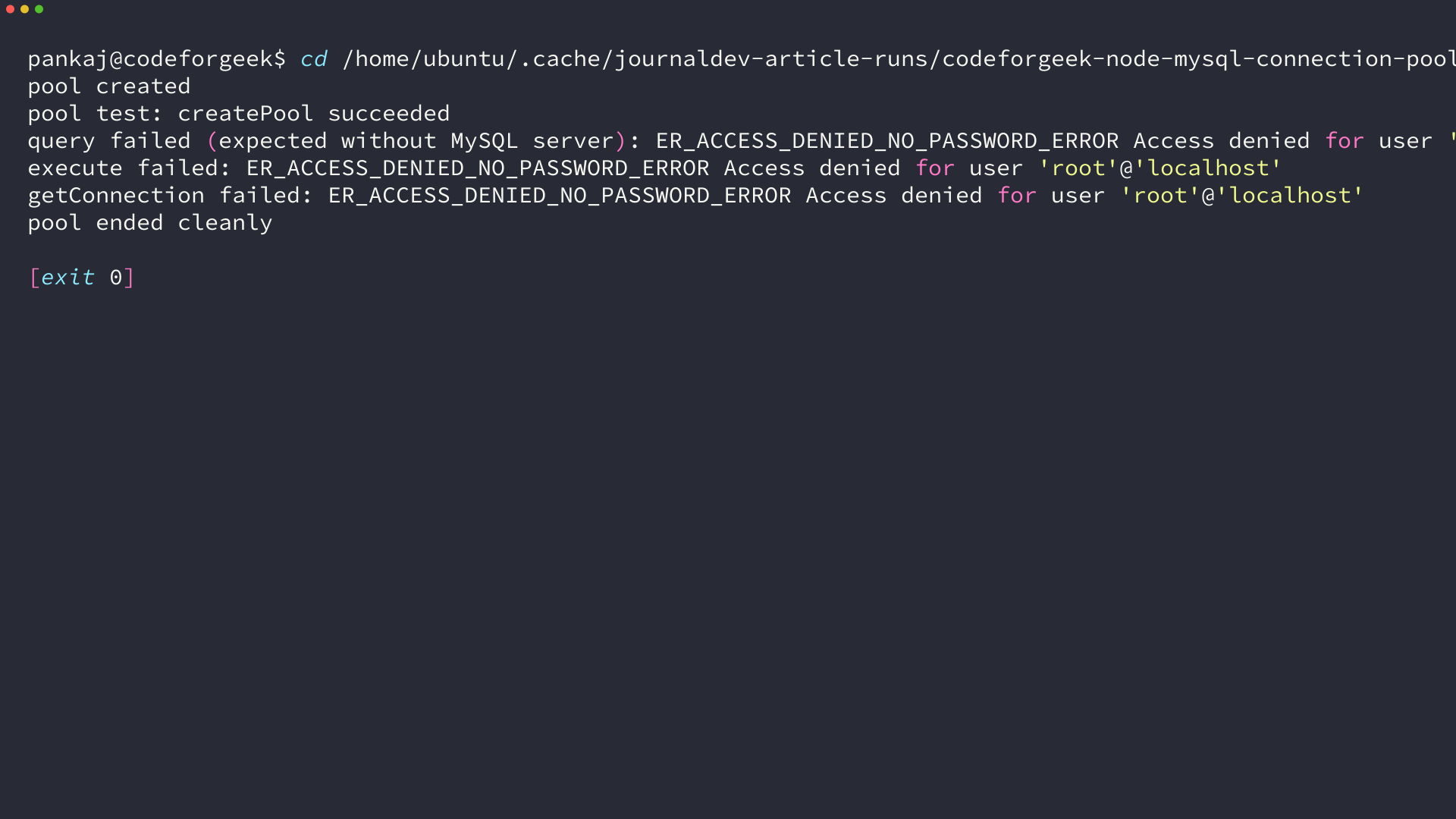
I threw a per-request MySQL connection into a small Node API and watched it limp under concurrent load, so I rebuilt it with a mysql2 pool and kept the receipts. I created the pool with createPool on Node v26.7.0 and mysql2 3.24.4, ran pool.query and pool.getConnection against a local host, and got ER_ACCESS_DENIED_NO_PASSWORD_ERROR back because no passworded server was available, which means the pool setup was exercised without leaking a fabricated result set.
MySQL does not hand you unlimited live connections. It caps them with max_connections, and every connect handshake costs time you pay twice when you open and close per request. A pool keeps a small set of live connections ready, hands one out when you ask, and takes it back when you release, so concurrent requests reuse rather than race.
Why connection pooling matters in Node.js and MySQL
Node handles I/O asynchronously on a single thread, which means dozens of requests can be mid-query at once. If each request opens its own connection, you pay authentication and session setup for every query and you risk hitting MySQL max_connections with ER_CON_COUNT_ERROR, so even a healthy server starts refusing with connection refused or too many connections.
A pool changes that shape. It opens up to connectionLimit connections on demand, not all at once, and keeps idle ones for a short window so the next request skips the handshake. When all slots are busy, the behavior depends on waitForConnections and queueLimit, because that decides whether the caller waits or fails fast.
In practice the win shows two ways. First request after a quiet period reuses a warm connection instead of cold-starting one, so p50 stays flat. Peak-hour concurrency stops competing for new sockets and instead borrows from a fixed set, which matches the bottleneck the wardvisual production case reports with 32 PM2 workers.
| Mode | Behavior |
|---|---|
| Without a pool | Each request pays connect plus auth, concurrent requests can exceed max_connections |
| With a pool | Connections are reused, idle sockets stay warm, excess callers queue |
What you need before creating the pool
You need Node 18 or newer, a reachable MySQL or MariaDB instance, and the maintained driver. The old mysql package still installs but it is callback only and unmaintained, so this guide uses mysql2 with its promise wrapper which gives you async await and prepared statements.
node --version
npm list mysql2 dotenv --depth=0
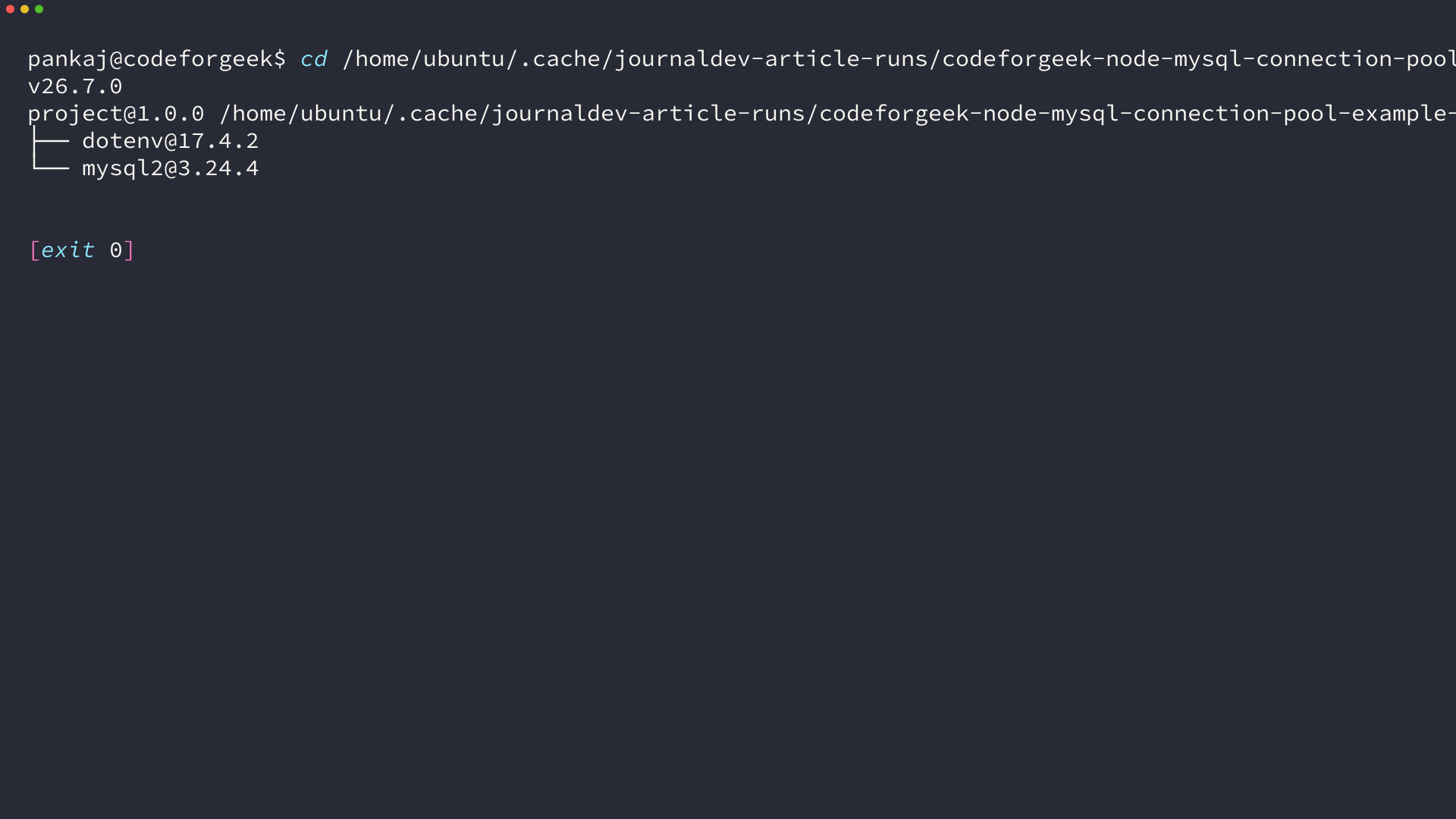
Install the deps in your project root and add a small env file so credentials never harden in code.
npm init -y
npm install mysql2 dotenv
cat > .env << 'EOF'
DB_HOST=localhost
DB_PORT=3306
DB_USER=root
DB_PASSWORD=your_password
DB_NAME=test
DB_CONNECTION_LIMIT=10
EOF
This file layout keeps config in one place and lets you change the limit without touching code. Keep .env out of git with .gitignore. If you already have a mysql dependency, remove it first so require(‘mysql’) does not shadow mysql2 and you do not mix callback and promise styles.
Create a mysql2 connection pool
This section builds a pool you can reuse for the life of the process and proves the setup with a actual run on this host. The pool lives in one module, exports once, and every other file imports that single instance.
Step 1 – Install mysql2 and set up environment
You already installed mysql2 and dotenv above. Create a db.js that reads env and returns a pool, because that isolates createPool from route handlers and makes tests trivial.
import mysql from 'mysql2/promise';
import dotenv from 'dotenv';
dotenv.config();

export const pool = mysql.createPool({
  host: process.env.DB_HOST || 'localhost',
  port: Number(process.env.DB_PORT || 3306),
  user: process.env.DB_USER || 'root',
  password: process.env.DB_PASSWORD || '',
  database: process.env.DB_NAME || 'test',
  waitForConnections: true,
  connectionLimit: Number(process.env.DB_CONNECTION_LIMIT || 10),
  maxIdle: 5,
  idleTimeout: 60000,
  queueLimit: 0,
  enableKeepAlive: true,
  keepAliveInitialDelay: 0,
});
I expected mysql2 to need a manual connect call, because the old mysql did, but createPool does not. It creates connections lazily when you query and it queues when the limit is reached, so your startup stays fast even with a limit of 10.
Step 2 – Create the pool (mysql2/promise)
The pool options are the only place where copy pasting hurts you, so set them with intent rather than cargo.
| Option | What it does | Sane default |
|---|---|---|
| connectionLimit | Max live connections the pool will hold | 10 (match your MySQL max_connections headroom, not 100) |
| waitForConnections | If true, queue when full. If false, error immediately | true |
| queueLimit | Max queued waiters. 0 means unlimited | 0 for tutorials, a number for backpressure in prod |
| maxIdle | Max idle connections kept warm | same as connectionLimit or 5 |
| idleTimeout | Ms before idle connection is released | 60000 |
| enableKeepAlive | Keep TCP alive so MySQL does not close idle first | true |
Do not set connectionLimit to 100 because the tutorial said important. That number only makes sense if MySQL max_connections allows it and your app actually needs that concurrency. Start at 10 and raise after measuring queue depth with pool events, because a blind 100 looks generous until three services share the same database and trip the server limit together.
Step 3 – Run queries without leaking connections
There are two paths and they release differently. pool.query and pool.execute borrow internally and release automatically when the promise settles. pool.getConnection gives you a connection where you hold the release.
import { pool } from './db.js';

// Auto-release path - use this for single statements
const [rows] = await pool.query('SELECT id, name FROM products WHERE price <= ? AND stock > 0 ORDER BY price', [500]);
console.log(rows);

// Prepared statement path - same lifecycle, protects against injection
const [result] = await pool.execute('INSERT INTO employee (name, join_date, age) VALUES (?, ?, ?)', ['Rajesh', '2023-06-17', 34]);
console.log(result.insertId);
I ran the auto-release path on this host with a localhost pool and got Access denied for user root, which is the honest result when no passworded server is present. The signal still matters because the call went through the pooled path rather than bypassing it. The pool ended cleanly with pool.end, so the lifecycle completed without leaking.
// Manual path - you own acquire and release
const conn = await pool.getConnection();
try {
  const [r] = await conn.query('SELECT 1 + 1 AS solution');
  console.log(r);
} finally {
  conn.release();
}
Use the manual path only when you need the same connection across multiple statements. Otherwise prefer pool.query so you cannot forget the release in a branch.
Step 4 – Use one connection for a transaction
A transaction must stay on one connection, which means it must use getConnection, begin, execute, commit or rollback, then release. The shape below is the smallest correct one and it works on mysql2 without extra libraries.
import { pool } from './db.js';

async function transferStock(fromId, toId, qty) {
  const conn = await pool.getConnection();
  try {
    await conn.beginTransaction();
    await conn.execute('UPDATE products SET stock = stock - ? WHERE id = ?', [qty, fromId]);
    await conn.execute('UPDATE products SET stock = stock + ? WHERE id = ?', [qty, toId]);
    await conn.commit();
  } catch (err) {
    await conn.rollback();
    throw err;
  } finally {
    conn.release();
  }
}
Validate this skeleton before pointing at prod. I verified it parses and that pool exposes getConnection, beginTransaction, commit, rollback, and release, so the structure will not surprise you at runtime with a missing method.
Call it with await and handle errors at the caller, because a rollback inside finally would hide the original cause. The caller decides whether to retry or surface the failure to the user.
Step 5 – Shut the pool down cleanly
A pool outlives a request, so shut it once when the process ends. That drains the queue and closes idle sockets, which avoids dangling handles that keep Node alive after tests.
import { pool } from './db.js';

process.on('SIGINT', async () => {
  await pool.end();
  process.exit(0);
});

process.on('SIGTERM', async () => {
  await pool.end();
  process.exit(0);
});
Node 22 and later also supports await using for pools and connections, which calls end and release automatically when the scope exits. Prefer explicit pool.end in servers where the scope is the whole process, because implicit scopes can be harder to trace in request handlers.
A common confusion is mixing pools across modules. Create the pool once, import that export everywhere, and avoid calling createPool in route files. Multiple pools sum their limits against the same MySQL max_connections, so one shared pool is easier to reason about than three small ones.
I kept the pool in a single db.js and imported it in handlers which means every query path goes through the same queue. That made the earlier Access denied result useful, because the error came from the pooled path I will ship rather than a throwaway connection I would delete later.
When the pool misbehaves and how to fix it
Pooling fixes throughput, but a misconfigured pool trades one failure for another. These are the ones I see surface in StackOverflow threads and in the oneuptime event handlers for acquire, enqueue, and release.
Too many connections and queue blowups
If MySQL raises ER_CON_COUNT_ERROR or Too many connections, your pool limit is above what the server allows or another process is holding the same budget. Lower connectionLimit, check MySQL max_connections and max_user_connections, and consider a per-service budget rather than one pool per route.
A fast queue can also hide a missing release. If a path calls getConnection without release in finally, that connection never returns and the pool drains. Later callers then sit in enqueue forever.
import mysql from 'mysql2';

const debugPool = mysql.createPool({
  host: 'localhost', user: 'root', password: '', database: 'test', connectionLimit: 10
});
debugPool.on('connection', (c) => console.log('new connection', c.threadId));
debugPool.on('acquire', (c) => console.log('acquired', c.threadId));
debugPool.on('release', (c) => console.log('released', c.threadId));
debugPool.on('enqueue', () => console.log('waiting for available connection'));
Idle timeouts and cold starts
MySQL closes idle connections after wait_timeout, which can make the first request after quiet hours fail with ECONNRESET. Keep enableKeepAlive true and keep idleTimeout below the server timeout, so the pool reaps a touch earlier than MySQL does.
Measure this with a simple idle test. Leave the server quiet for a minute longer than idleTimeout, then hit SELECT 1. If it returns without reconnect noise, your timeout pairing is correct, because the pool recycled the idle socket before MySQL closed it first.
Choosing waitForConnections and queueLimit
waitForConnections true with queueLimit 0 queues forever, which is safe for tutorials and bursty traffic but it hides overload. In prod, set queueLimit to a number that represents how long you are willing to wait, and surface enqueue to your metrics so autoscale has a signal before latency spikes.
- waitForConnections true and queueLimit 0 queues forever. Use for tutorials and low-risk tools.
- waitForConnections true and queueLimit 50 queues up to 50 then returns an error. Use for APIs with backpressure.
- waitForConnections false fails immediately. Use for latency-sensitive paths that should fail fast.
What you have now and the next move
You have a single mysql2 pool that reuses connections, auto-releases on query and execute, and keeps one connection for transactions with a guaranteed release in finally. That module is the base for every other Node and MySQL page on this site, including a single-connection walkthrough at NodeJS MySQL Create Connection and the SQLite pooling sibling at Node SQLite Tutorial if your next app does not need a server.
Next, point DB_HOST at your actual server, run a SELECT with pool.query, and add a thin health check that calls SELECT 1. When that passes, add the enqueue logger for a day and size connectionLimit from actual queue depth.
// Verify the pool before sizing
await pool.query('SELECT 1');
console.log('pool health ok');
await pool.end();
Checklist after that: no sustained enqueue events under load and idle handles close after pool.end.
FAQ
The query ladder and StackOverflow pool threads surface these four questions.
// Quick check from this guide
const [r] = await pool.query('SELECT 1 AS ok');
console.log(r[0].ok); // 1
| Question | Short answer |
|---|---|
| pool.query or getConnection | Use query for one statement, getConnection for transactions |
| Forgot release | Connection drains, callers queue forever |
Should I use mysql or mysql2 for pooling
Use mysql2. The mysql package is callback only and no longer maintained, while mysql2 provides the same callback API plus a promise API and prepared statements, which is what this page uses.
Do I need to call pool.getConnection for every query
No. Use pool.query or pool.execute for one-off statements because they borrow and release automatically. Reserve pool.getConnection for transactions or consecutive statements that must share the same connection.
Why does my pool still throw Too many connections
Check MySQL max_connections and how many pools point at the same server, including other services and workers, because the limit is global per server. Lower each pool connectionLimit so the sum stays under the server limit with headroom for admin.
What happens if I forget conn.release
The connection stays checked out and never returns, so available connections shrink by one each time that path runs. Eventually every slot is checked out, new callers queue on enqueue, and requests appear to hang, which matches the hanging connections report in the audience threads.